
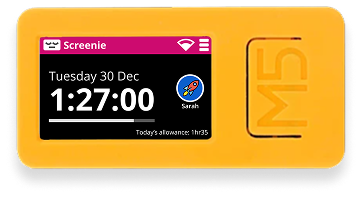
Build Your Own Screenie
Want to create your own Screenie device? Follow this step-by-step guide to purchase the hardware and flash it with the official Screenie firmware.
Step 1Get the Hardware
Purchase an M5StickC Plus2 - a compact ESP32-based development kit that's perfect for Screenie.
Tip: Make sure you get the Plus2 model specifically - it has the display and features needed for Screenie.
Step 2Flash the Firmware
Build from Source
Build and flash the Screenie firmware directly from the GitHub repository.
Quick steps:
- Clone the repository from GitHub
- Install VS Code and PlatformIO extension
- Add your Wifi credentials in the configuration file
- Build the firmware using PlatformIO
- Flash using PlatformIO or esptool
This method requires technical knowledge. Follow the complete instructions in the GitHub README.
What's Next?
Once your device is flashed, you'll need to pair it with your Screenie account and configure WiFi settings.